
― Category
Docking stations
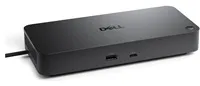
USB-C and Thunderbolt 4 docking stations that connect two or three monitors, network, peripherals and charge the laptop at up to 100 W over a single cable. Universal docks and brand docks from Lenovo, HP and Dell.
Products in this category
No results
This category is empty for now. Please check back later.
Frequently asked questions
- How do I know the docking station fits my laptop?
- The laptop port decides: Thunderbolt 4 and USB4 docks need a Thunderbolt or USB4 port, universal USB-C docks work on any USB-C with DisplayPort Alt Mode, and DisplayLink docks work even over ordinary USB-A with a driver. The port's capabilities are in the laptop specifications; for laptops with no video output over USB-C choose a DisplayLink dock.
- How many monitors does a dock connect?
- A Thunderbolt 4 dock handles two 4K monitors at 60 Hz; with a USB-C dock without Thunderbolt expect one 4K monitor or two Full HD, and on some laptops only a single output. DisplayLink docks connect two or three monitors independently of the laptop, with a driver and not suited to gaming. We state the monitor count and resolution for every dock.
- Does the dock charge the laptop?
- Docks with their own power adapter do; we state the wattage in the specifications (typically 65, 90 or 100 W). A laptop that draws more than the dock supplies slowly discharges under load; charge gaming laptops with their original adapter. Small docks without an adapter do not charge the laptop and draw power from it instead.